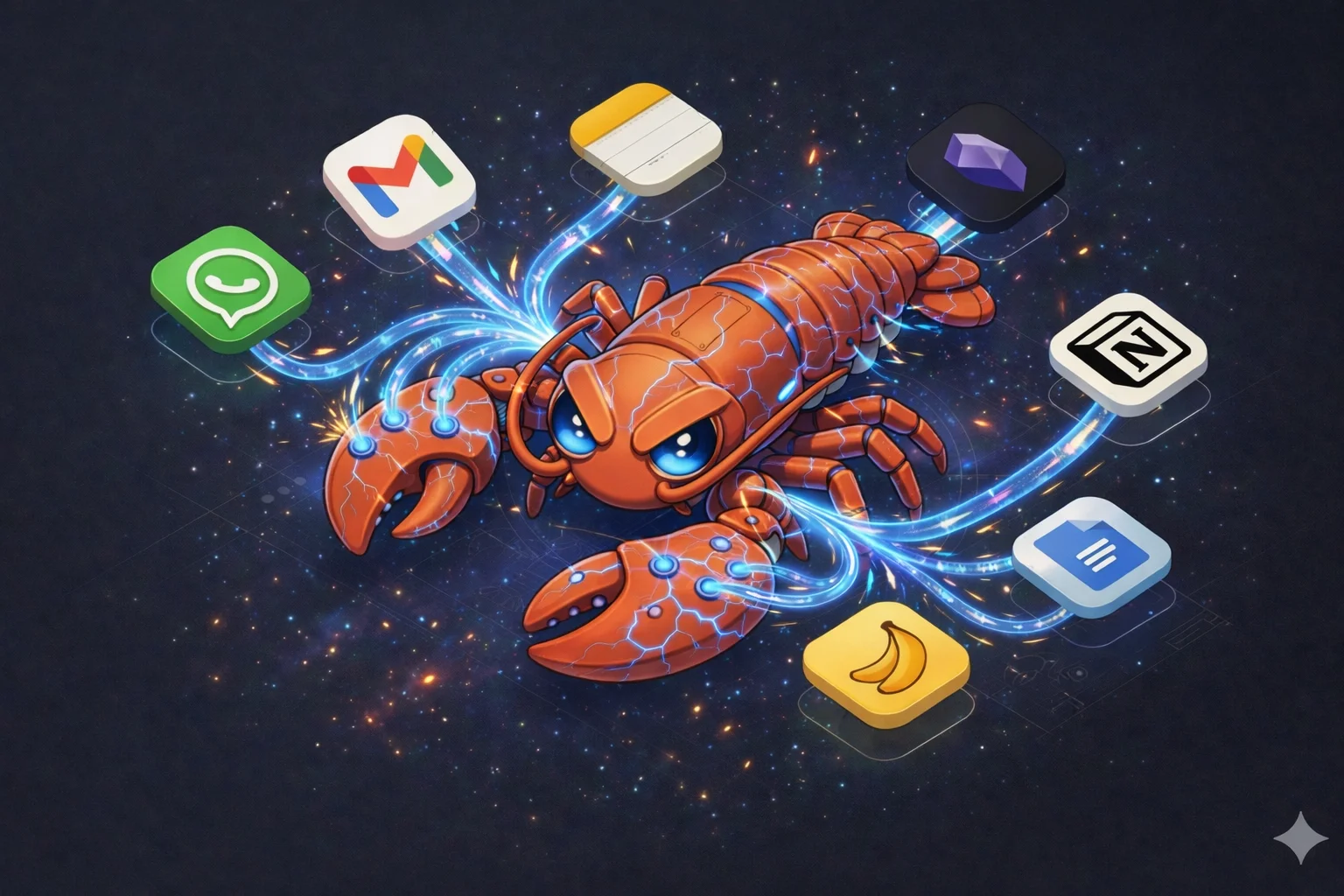
Clawdbot was released last November but went viral in January 2026. Why the hype? Let me explain...
In this article:
- What is Clawdbot AI?
- How to install Clawdbot?
- How to improve Clawdbot security?
- Automatic integrations
- Clawdbot vs Claude Cowork
- Cheatsheet
What is Clawdbot AI?
It's an application that connects AI to your digital life. Works as a free AI assistant for WhatsApp and a Telegram bot.
It runs on your computer, connects to your favorite AI provider (Anthropic, OpenAI, Google, Microsoft, Ollama, etc.) and has claws that manage your digital tools: WhatsApp, Telegram, Discord, Slack, Microsoft Teams, Google Chat, iMessage, Gmail, Google Calendar, Google Chrome and, most importantly: your terminal.
Supports today's best models: Opus 4.5, GPT 5.2, Gemini 3, Haiku and Nano Banana Pro
It's Iron Man's Jarvis with access to your WhatsApp, emails, calendar, browser, notes and terminal.
A bridge between natural language and the digital world. Revolutionary because it's what Siri never managed to be.
How to install Clawdbot?
Prerequisite: Node.js version 22+
The official guide is available on the GitHub repository: clawdbot/clawdbot
Quick, easy and secure (offline)
Install it on your computer, don't open any ports, control it via web dashboard or Telegram. This eliminates 95% of the risk of being hacked.
npm install -g clawdbot@latest
clawdbot onboard --install-daemon
Follow the CLI instructions.
My recommendations
Set up Telegram first and use it there, don't start with WhatsApp.
Telegram integration has some advantages:
- Security through parity
- Distinction between your messages and the bot's
When integrating with WhatsApp the standard way (on your number), the bot can only send messages as if it were you, causing a poor experience:
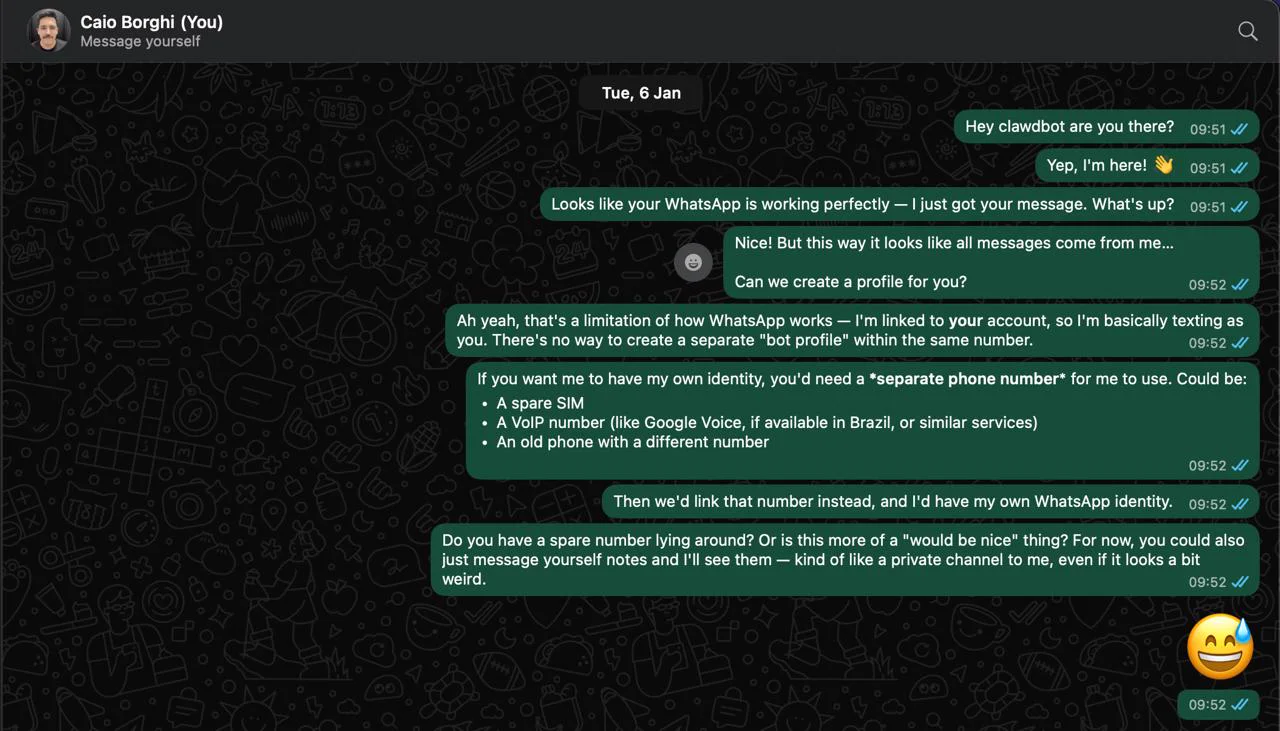
With Telegram, it's much better!

How to improve Clawdbot security?
Under no circumstances ever expose port 18789 without authentication.
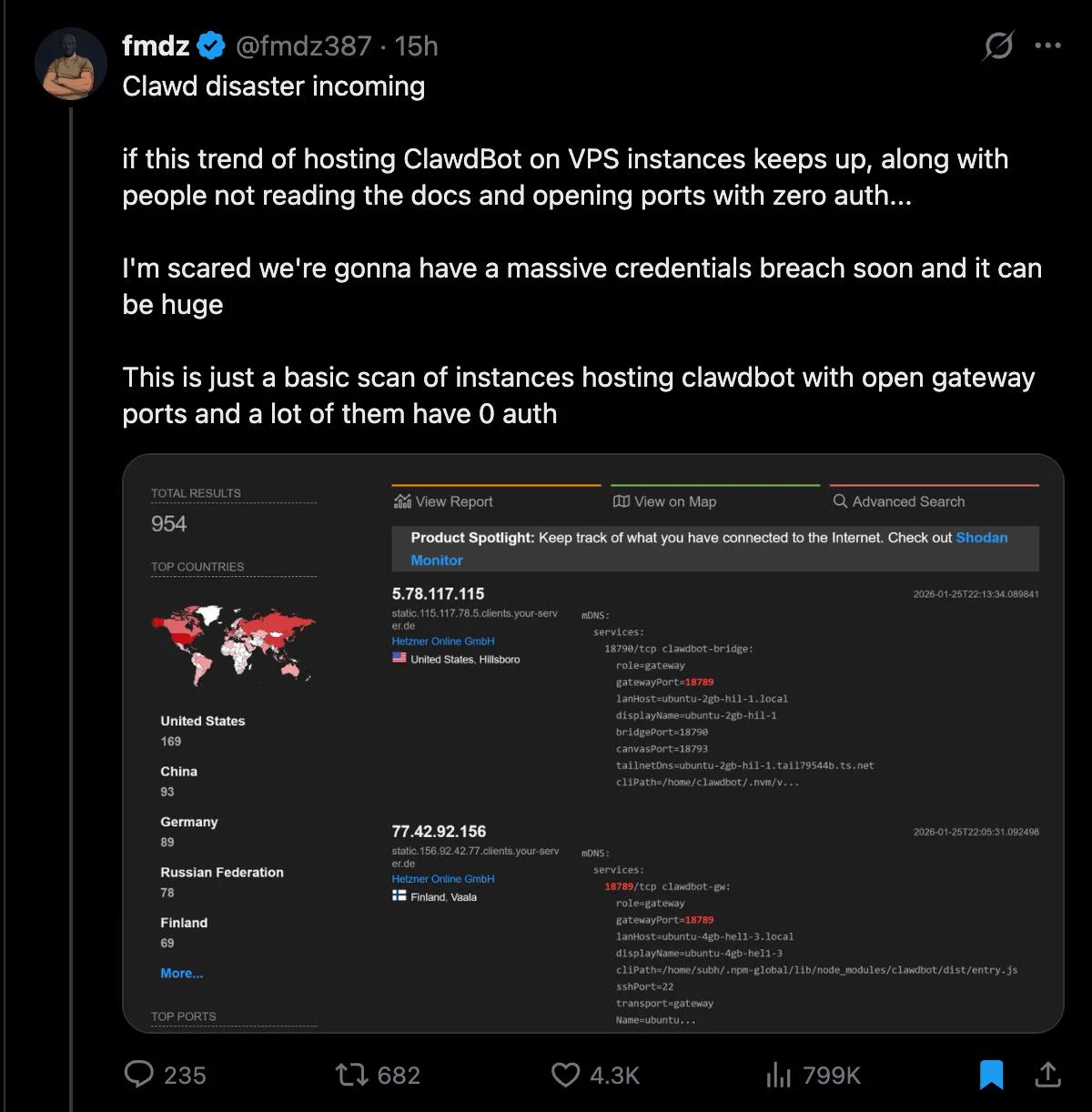
There are currently 923 Clawdbot instances running freely on the internet, according to this tweet:
External risks
If the port is open without authentication: it's only a matter of time until someone takes control of your Clawdbot. Cybersecurity professionals have already warned about these vulnerabilities.
Don't slip up! Don't expose the port to the internet.
There are secure ways to access remotely: Tailscale (personal VPN) or Cloudflare Tunnel (zero-trust).
How do I know if I'm vulnerable?
Run the following command on the server running Clawdbot:
clawdbot security audit --deepValidate the result:
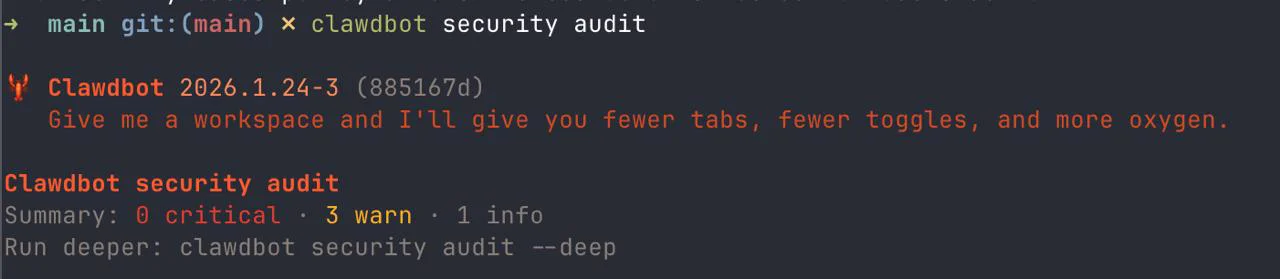
To fix issues automatically: clawdbot doctor --fix
If you find something critical: fix it or shut it down immediately!
Useful commands
# Disable Clawdbot
clawdbot gateway stop

# Uninstall Clawdbot
clawdbot gateway uninstall

# Check Clawdbot status
clawdbot gateway status
Integrations
When integrating with WhatsApp, Twitter and other social networks, every message becomes a prompt for the AI model (which has access to your terminal and tools), making it a potential attack vector.
By default, the model:
- Automatically reacts with 👀 to every mention or reply in groups
- Automatically responds to mentions in groups (mode:
mention) - Uses pairing for DMs: strangers receive a code and need to be approved
Disable automatic reaction:
clawdbot config unset messages.ackReactionChange activation mode in groups:
# Only responds when mentioned (default)
/activation mention

# Responds to all group messages (careful!)
/activation always
How does Pairing work?
When a stranger sends a DM to your Clawdbot:
- The bot doesn't process the message
- Sends a pairing code (e.g.,
A7X9) - You approve manually:
# View pending requests
clawdbot pairing list --channel whatsapp

# Approve a contact
clawdbot pairing approve whatsapp A7X9
This prevents anyone from using your bot without authorization.
Configure group policy
By default, the bot can respond in any group you're in. To restrict:
# Only responds in approved groups (recommended)
clawdbot config set channels.whatsapp.groupPolicy "allowlist"
Why not start with WhatsApp?
- Confusing identity: the bot responds as if it were you (no visual distinction)
- Leak risk: any group mention becomes a prompt for the AI
- Attack surface: public groups = easier prompt injection
Prefer starting with Telegram, where the bot has its own identity and the experience is safer.
Disable read receipts
clawdbot config set channels.whatsapp.sendReadReceipts falseInternal risks
With great power comes great responsibility. Benjamin Franklin Parker
When installing it on your computer, you give unrestricted access to the model to all your files + terminal.
Clawdbot supports sandboxing via Docker to isolate sessions from untrusted groups and users.
Best practices:
- Don't give Clawdbot write permissions on integrations you only need to read
- Use sandboxing via Docker to isolate it from your computer.
Automatic integrations
Clawdbot connects to dozens of tools out-of-the-box:
- Channels: WhatsApp, Telegram, Discord, Slack, Teams, Signal, Matrix, Google Chat
- AI: Anthropic, OpenAI, Gemini, Copilot, Ollama
- Productivity: Gmail, Google Calendar, Notion, Obsidian, GitHub, Trello
- Media: ElevenLabs, Whisper, Spotify
- Smart Home: Philips Hue, Sonos, Eight Sleep
- DevTools: Playwright, Docker, Cron
Clawdbot vs Claude Cowork
Anthropic launched Claude Cowork in January 2026, currently has few integrations (files, google email, calendar) but I think it will evolve to become Anthropic's official version of Clawdbot.
Cheatsheet
Useful Clawdbot CLI Commands
Installation
npm install -g clawdbot@latest    # Install
clawdbot onboard --install-daemon # Setup daemon
Gateway
clawdbot gateway           # Start gateway
clawdbot gateway status    # Check status
clawdbot gateway stop      # Stop
clawdbot gateway uninstall # Uninstall
clawdbot health            # Health check
clawdbot logs              # View logs
# Web UI: http://localhost:18789/
Security
clawdbot security audit          # Basic audit
clawdbot security audit --deep   # Audit + network scan
clawdbot security audit --fix    # Apply auto-hardening
Diagnostics
clawdbot doctor                       # Diagnose issues
clawdbot doctor --fix                 # Auto-fix problems
clawdbot doctor --generate-gateway-token  # Generate new token
clawdbot status --all                 # Full status (safe to share)
Configuration
clawdbot config set <key> <value>   # Set config
clawdbot config unset <key>         # Remove config
clawdbot config get <key> # Get config# Group policy (allowlist = approved groups only)
clawdbot config set channels.whatsapp.groupPolicy "allowlist"
# Disable read receipts
clawdbot config set channels.whatsapp.sendReadReceipts false
# Disable auto-reaction (👀)
clawdbot config unset messages.ackReactionPairing (contact approval)
clawdbot pairing list --channel whatsapp  # List pending
clawdbot pairing approve whatsapp <CODE>  # Approve
clawdbot pairing reject whatsapp <CODE>   # Reject
Plugins
clawdbot plugins list              # List plugins
clawdbot plugins install <plugin>  # Install plugin
In-chat commands
/activation mention  # Only respond when mentioned
/activation always   # Respond to everything (careful!)
/help                # Show available commands
References
Official:
Security:
- Hacking Clawdbot and eating lobster souls — @theonejvo
- 932 Clawdbot gateways exposed... — @0xSammy
- Sandboxing via Docker
- Tailscale — Personal VPN
- Cloudflare Tunnel — zero-trust
Tutorials:
- Full setup in 30 minutes — @damianplayer
- What Is Clawdbot? — @NoahEpstein_
Related:
- Claude Cowork — Anthropic
- Telegram
Questions? @ocodista